You can withdraw cryptocurrency from your account directly to your MetaMask wallet by following these steps:
Step 1: Go to the Withdrawal Page
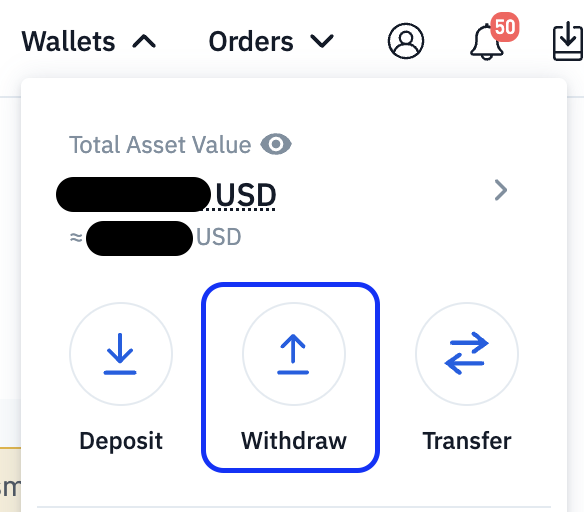
Select the cryptocurrency that you would like to withdraw. MetaMask supports Ethereum-based assets (ETH and ERC-20 tokens only).
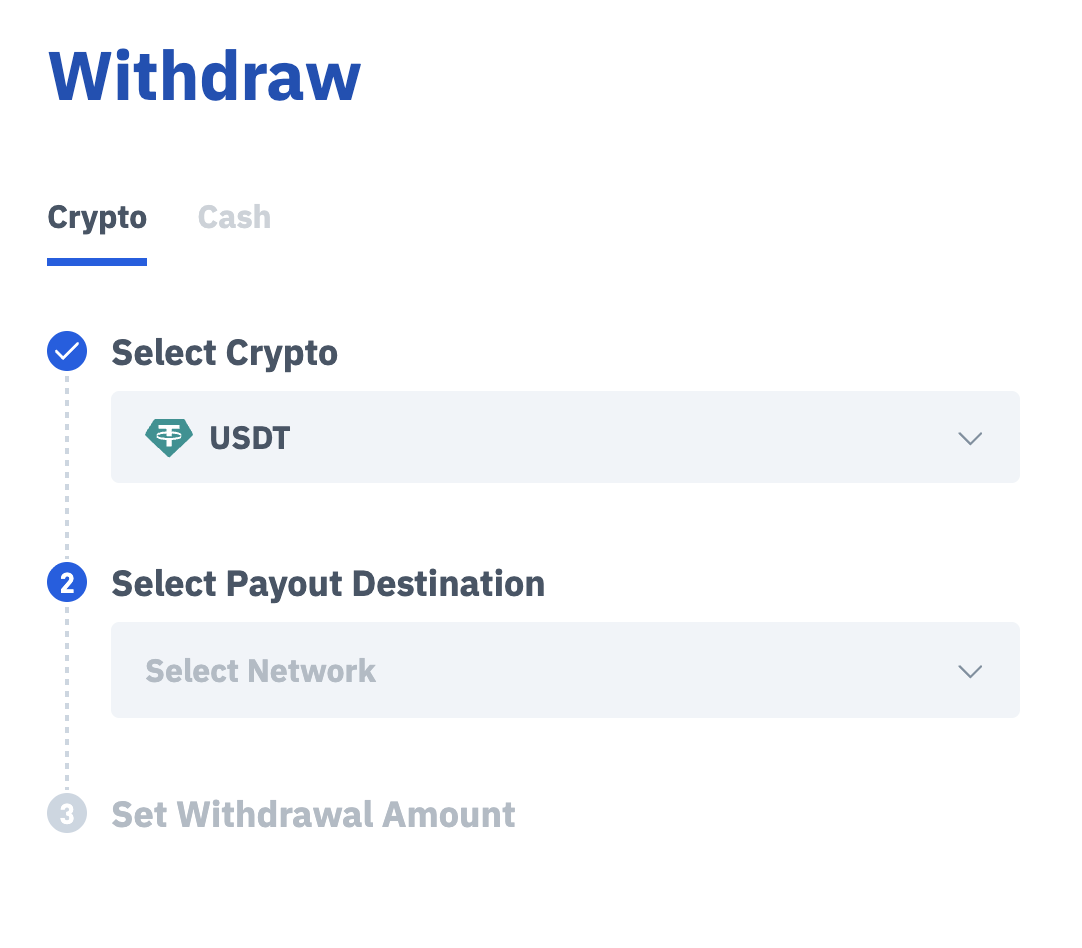
Step 2: Connect Your MetaMask Wallet
Select Connect to a Web3 Wallet
Click MetaMask
Click Connect
Select your MetaMask account and approve the connection
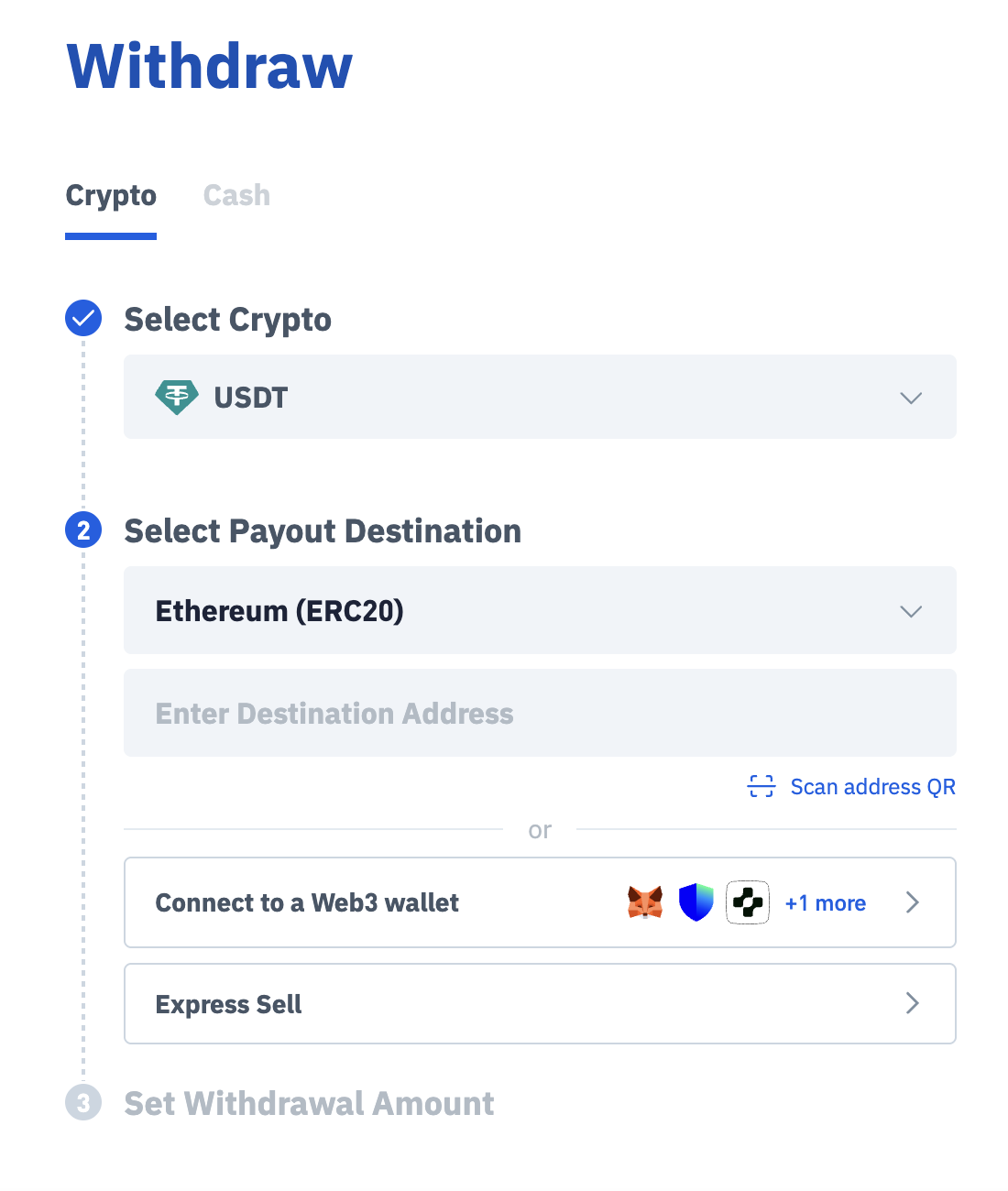
Once connected, your MetaMask wallet address will be displayed automatically.
Step 3: Enter Withdrawal Details
Enter the amount you wish to withdraw
Review the network and fees
Step 4: Review and Confirm
Double-check all details, including:
Wallet address (auto-filled via MetaMask)
Network (ERC-20)
Amount
Click Withdraw to proceed
Step 5: Complete Security Verification
Enter your 2FA / email verification code
Confirm the transaction
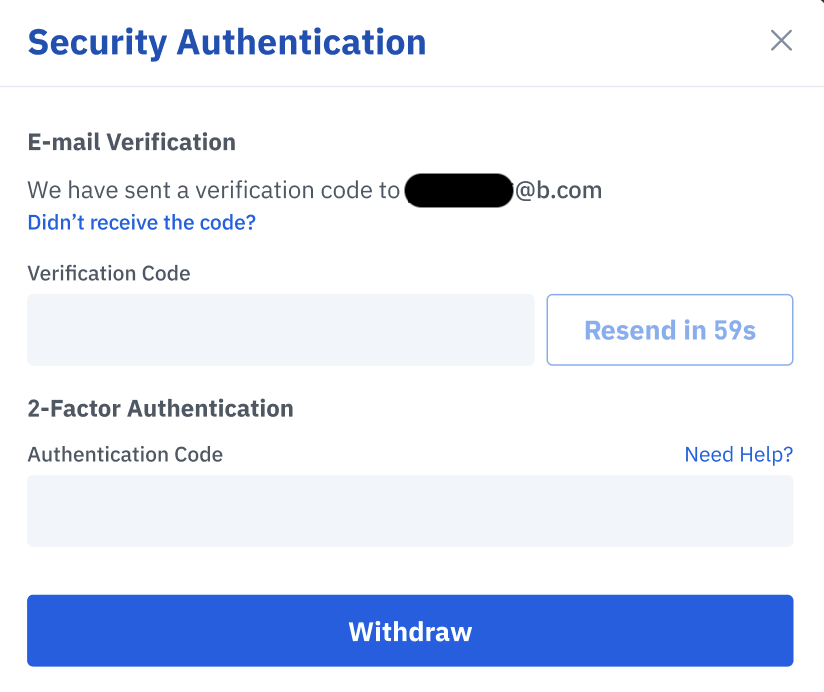
Step 6: Wait for Processing
Your withdrawal will be processed after submission
You can track the status in your Transaction History

